






Online phishing scam
With Christmas fast approaching, Police are encouraging people to be aware of online phishing scams.
The holiday season can already be a stressful time, and the last thing you want is to lose large sums of money to a scam.
A phishing scam is an online scam, where the offender pretends to be a trustworthy person or organisation to try and get a victim’s personal information.
Police has received a number of phishing scam reports with offenders targeting people who are selling items or services online like Trade Me and Facebook Marketplace.
The offenders pretend to be an interested buyer, and urgently request to buy your product and arrange a courier pickup.
The victim receives a fake courier website link to complete a verification process asking for personal details, like bank account numbers, passwords, and phone numbers.
Once provided these details, the offender uses these to access a victim’s bank account, tricking the victim into proving any multifactor authentication code sent from the victim’s bank.
The money in the victim’s bank account is then taken by the offender once access is gained.
Police are urging members of the public to be cautious, especially when someone in person or online is asking you to give them money or your personal details like bank accounts and passwords.
Never comply with a request asking you to provide or ‘verify’ your online banking details.
Legitimate organisations will never ask you to do this.
If you are unsure if it is real, please contact your bank by the phone number on their official website or go to your nearest branch.
If you receive a courier website link from a potential buyer, this is likely a scam.
Please do not fill out the verification process.
Use the social media/trading platform’s reporting tools to report the scam and the user involved.
You can also make a report to Netsafe at report.netsafe.org.nz.
If you have handed over your online banking details, contact your bank immediately and suspend your account.
If you think you have been scammed (provided your banking details and/or suffered a loss), please gather as much information you can and make a report to Police online through 105.police.govt.nz or call 105.


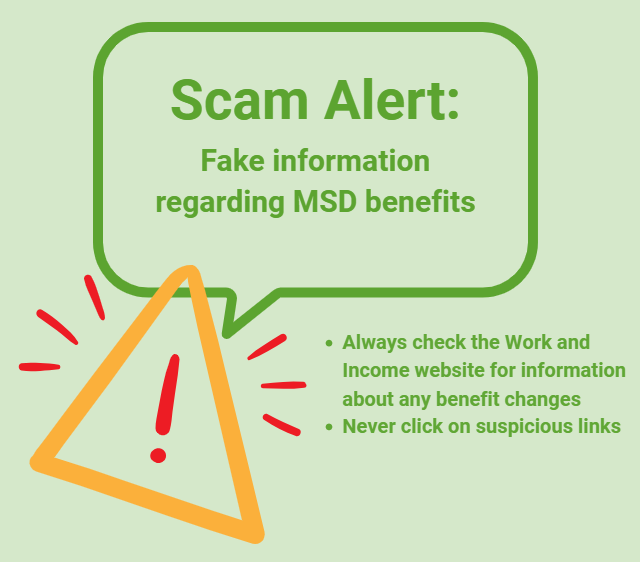
Scam Alert: Fake information regarding December Bonuses from MSD
The Ministry of Social Development is reporting that fake information is circulating about new ‘December bonuses’ or ‘benefit increases’
If you get suspicious communication, please contact Netsafe.
Poll: Do you set New Year’s resolutions?
🎉 2026 is almost here!
We’re curious ... how do you welcome it?
Do you set resolutions, follow special traditions, or just go with the flow?
-
10% Yes! New Year, New Me
-
17% Yes - but I rarely stick to them
-
73% Nah - not for me
Update to Neighbourly members on data breach 06/01/2025 8am
Yesterday in the High Court at Auckland, Neighbourly was successful in being granted an injunction against any unauthorised use of the data taken in a recent breach.
As we alerted you on January 1 and confirmed on January 3, our systems were accessed illegally and members’ information, including names, email addresses, GPS coordinates from the address you provided to us, forum posts and direct member communications were among the data that was accessed.
We acted immediately upon hearing of a potential breach: we temporarily disabled the site, notified members and authorities and worked with our external security consultants to understand if and how it had occurred. We then confirmed the breach with members, safely restored the site to service and began the process of seeking the injunction. Yesterday’s decision by Justice Johnstone prohibits the use of the data by any unauthorised person, and requires them to permanently delete it, or any information obtained from it.
This does not mean that vigilance against scammers is not still required: there is a large industry globally that seeks to use stolen information for identity fraud or to dupe people into providing details of their financial affairs for theft. Again, to keep yourself safe from scammers it is critical that you:
- Don’t click links in emails. Instead, type the web address directly into your browser. This helps ensure you’re visiting a real site, not a fake one
- Enable two-factor authentication where available as this adds an extra layer of security to your data
- Stay alert for phishing emails. Be cautious of unexpected emails asking for personal information, especially ones that create a sense of urgency.
Again, we want to apologise to you for this illegal access to the Neighbourly database and to assure you that we have carefully worked through how this occurred. We have safely secured the site and its services for use and ensured we have robust processes in place so this cannot happen again.
We are continuing to work with the relevant authorities, including the National Cyber Security Centre, on any further steps we need to take.
If you have any further questions please contact us via our customer support team at helpdesk@neighbourly.co.nz.
 Loading…