





Scam Emails Explained: How to Protect Yourself from Phishing and Fraud
A scam email is a malicious email that aims to trick recipients into giving up their sensitive information, such as bank accounts and passwords. This is one of the ways scammers have used to steal money from individuals easily. Learn how to spot scam emails, the most common types, how to avoid becoming a victim and what to do if you’ve been scammed.
===========================================
How to Spot a Scam Email
Here are some ways to recognise a malicious email:
===========================================
It came from an infrequent sender.
It has an urgent call to action or an alarming tone.
It has unexpected attachments and suspicious links.
There are multiple spelling errors and bad grammar used in the message.
The email address or domain name are misspelt or altered.
Email greeting is not personalised or uses a generic format like “Dear madam or sir”.
The Most Common Types of Scam Emails
Sextortion or doxing
Business email imposters
Fake contest or raffle prizes
Account update and password reset requests
Fake charity membership from famous personalities
Too good to be true subscription promos and renewal discounts
What Happens When You Respond to a Scam Email
Clicking on a suspicious link may open a phishing website that pretends to be a legitimate online shop or bank to collect your login credentials and other information. On the other hand, downloading an attachment can install malware on your device. Malware like ransomware can encrypt your files and hold them for ransom. Some can install malicious software that records device activities to get your data. Once scammers have your information, they can use it to steal money directly from your bank accounts and credit cards. Or worse, take over your email and other connected accounts and cause more damage.
How to Avoid Becoming a Scam Victim
================================
Educating yourself about the ins and outs of scam emails is still the most effective way for you to avoid being targeted by these attacks. Until then, follow these recommendations:
================================
Practice good email hygiene.
Never disclose sensitive or confidential information through email. If in doubt, verify with the person or company first to avoid possible issues.
Think before you click. Avoid opening links and attachments from unknown senders.
Create a strong and unique email account password. Use Trend Micro Password Generator to help you generate better passwords for your accounts.
================================
TIP: Change your passwords regularly. Trend Micro recommends you update them at least every three months if you are not using a password manager.
================================
Look at the email address, not just the sender.
Check if the message is sent from a public email domain. Legitimate organisations use a single domain for email addresses. They will not send emails from an address that ends in @gmail.com. If the domain name (what comes after the @ symbol) matches the sender of the email, the message is most likely legitimate.
A message that comes from a different domain is suspicious.
Enhance your device security and privacy.
Turn on the Firewall for your Windows PC.
Update your operating system and web browsers regularly.
Watch out for suspicious links.
You should not click links or download files even if they come from strange sources.
Check for mismatched URLs. Hovering above the link may show a different web address.
Avoid clicking links in emails unless you are sure it is a safe link.
Look for any grammatical errors and spelling mistakes.
Companies will often hire proofreaders and editors to ensure content they send out are free from errors.
Do not be frightened by messages that have an alarming tone.
Doublecheck with the company if you are uncertain about the status of your accounts.
Many of these scam email requests you to act quickly or else it will be too late.
=====================================
Look out for generic greetings like “Dear Customer”
Scam emails are designed to be sent to a large amount of people, so they need to be as impersonal as possible.
Check whether the message contains a generic subject and a greeting. This is a sign of a phishing attempt.
Take note of unusual information in the message.
Any mentions of operating systems and software that are not commonly used can often be a sign of a scam or phishing attempt.
Watch out for unsolicited messages.
Organisations do not practice sending confirmation emails unless there have important reasons.
Most of them avoid sending unsolicited messages unless it is for company updates, newsletters, or advertising purposes.
====================================
Why Do I See Scam Emails?
Wondering why you receive these emails? Cybercriminals may have obtained your email address from a data leak, fake website, public sources like social media, or even illegally purchase your data.
======================================
What To Do After Realising You’ve Been Scammed
Change the password of your email and other online accounts.
Contact your financial institutions including your bank and see how they can help you further.
Report the scam to prevent more victims.
New Zealand: NetSafe
==================================================
Christmas Eve busiest shopping day of the year with more than 500,000 sales
Busiest shopping day of the year
Peak time 12 noon-1 pm - 563,303 transactions
Per second peak - 167 transactions
========================================
Number of sales beats Black Friday, but lowest Christmas Eve in six years
Christmas Eve has been the busiest shopping day of the year with 9,745 sales a minute at its peak.
Payments company Worldline says noon to 1pm saw 563,303 sales recorded on its network, down by about 7 percent on a year ago.
The company's network covers about three-quarters of the electronic terminals in operation.
Worldline did not have a dollar value for spending, but the peak number of transactions was the lowest for the past six years and well shy of the record 679,436 in 2019, before the pandemic.
Earlier this month it noted rising sales in the first three weeks of the month, but they remained 1.3 percent lower than 2024, with most parts of the country trailing the previous year's spending.
Official data from Stats NZ to the end of November showed a small rise in spending on the previous month, to 1.6 percent higher for the year.
Retail spending has been subdued as households have remained cautious because of high prices and a slow benefit from lower interest rates, and as well as concerns about the soft labour market.
However, recent surveys have shown improving consumer sentiment with ANZ bank's monthly report showing confidence at its highest level in four years.
Boxing Day is traditionally the country's favourite shopping day, but with Black Friday spending also softer this year the amount going through retailers' terminals may also be down on a year ago.
Adding a dampener to consumer spending may be the recent rises in longer term fixed mortgage rates because of higher wholesale rates.
=====================================================

Poll: Is it ok to regift something that you have been given?
🎁 Holiday Gift Chat!
Do you ever regift?
What’s your take on asking for a receipt if a gift doesn’t fit?

-
79.1% Yes! It's better to regift what I don't need
-
20.9% No. It's the thought and effort that matters
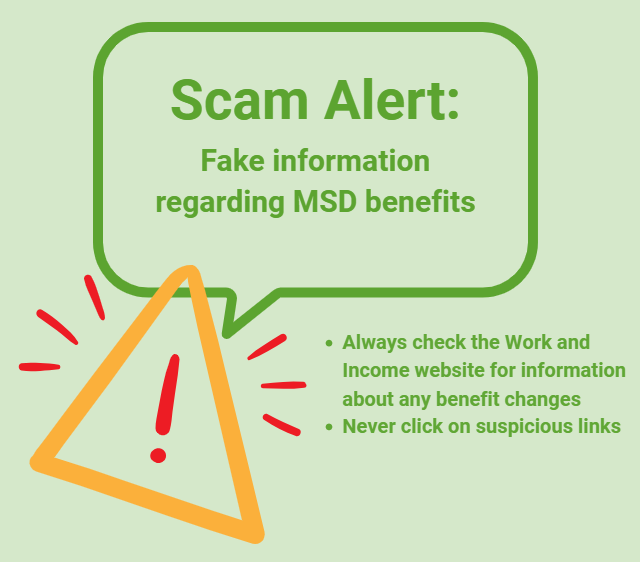
Scam Alert: Fake information regarding December Bonuses from MSD
The Ministry of Social Development is reporting that fake information is circulating about new ‘December bonuses’ or ‘benefit increases’
If you get suspicious communication, please contact Netsafe.
 Loading…