







5 Ways to Reduce Digital Eye Strain for Children
LCD and LED computer and television screens, smartphones and tablets all emit blue light. As the quality of such screens improves continuously, their blue light emission is increasing. Although blue light in itself is a natural phenomenon – it is present in daylight and helps us to stay awake – excessive amounts can have an adverse effect and cause eye strain and fatigue.
With the increase in children using their digital devices more than two hours a day at home and at school, it’s no surprise that there is an increase of digital eye strain symptom which include tired eyes, headaches, dry eyes, eye irritation (itchy and burning) and blurred vision. Spending a large amount of time looking at digital screens (or any near object) means their eyes are constantly exerting more effort to focus. Put simply, their eyes are working harder, causing strain.
Your children may also even experience neck or back pain, through stress placed on their cervical spine, if they are spending long periods unconsciously bent forward looking at a screen.
Here are five tips that could help your children:
1. Take a break – Remind your children to use the 20-20-20 rule: every 20 minutes, take a 20-second break and look at something 20 feet away.
2. Blink frequently – Remind your children to blink frequently. Research shows that when using screens, we blink far less often than in other situations. Staring at computer screens can dry our eyes and cause redness and irritation.
3. Check your child’s workstation set up - The best way to set up your computer is to have the screen about 50 to 70 centimetres away from your eyes -- or about an arm’s length.It’s also best to look slightly downward at your screen, as that will allow the eyelid to cover at least a portion of the eye and keep it moist. Ideally, the centre of the screen should be 20 degrees below eye level, or about 10 centimetres down.
Make sure there are no reflections or glare on your screen, and adjust the brightness of your screens to be similar to the brightness of the room. As a test, if the white background of this webpage looks like a light source, it's probably too bright.
Also make sure your child’s digital screens and eyeglasses are clean so that he/she doesn't have to strain to see the screen clearly.
4.Go for regular eye exams - If your child is noticing a lot of headaches, it could be a sign that he/she have other vision problems. It’s possible, for example, that new glasses or a new prescription is needed. Or it could be a sign of a more serious vision problem, so it’s recommended that your child gets their eyes checked every two years, at least, in order to spot problems early.
5.Special lenses for digital use– special prescription lenses are available with a coating that reduces the amount blue light entering the eye, preventing eye strain and fatigue and also reduces glare for more comfortable and relaxed vision. Ask us more about our range of special digital lenses.


Poll: Is it ok to regift something that you have been given?
🎁 Holiday Gift Chat!
Do you ever regift?
What’s your take on asking for a receipt if a gift doesn’t fit?

-
79.2% Yes! It's better to regift what I don't need
-
20.8% No. It's the thought and effort that matters

Exclusive Christmas Sleep Deals - Up to 65% OFF Beds!
Hi neighbours,
This coming Christmas, why not treat yourself to better sleep? For one day only, we’re offering an extra 5% OFF on top of our already reduced Boxing Day Bed Sale prices!
With up to 65% OFF on selected beds and FREE delivery, there’s never been a better time to upgrade your sleep. But hurry, these deals are moving fast, and once stock is gone, it’s gone!
If you’d like to see what’s available:
Find your nearest Beds4U store: beds4u.co.nz/store-locator
Browse all Boxing Day deals: beds4u.co.nz/boxing-day
Don’t miss out, give yourself the gift of quality sleep this Christmas!

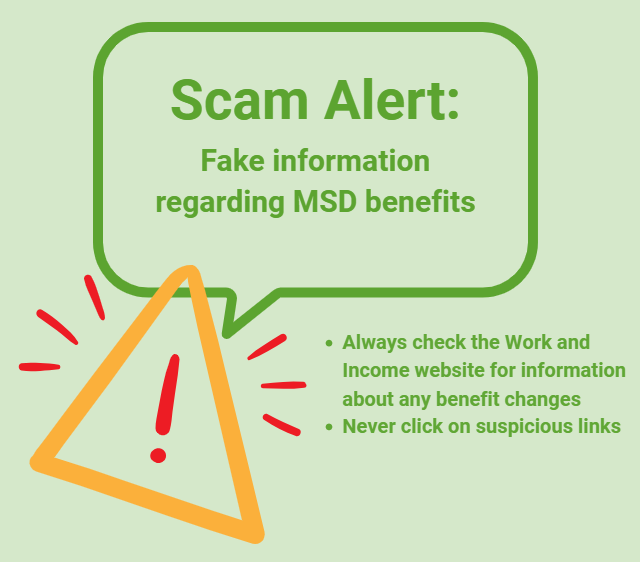
Scam Alert: Fake information regarding December Bonuses from MSD
The Ministry of Social Development is reporting that fake information is circulating about new ‘December bonuses’ or ‘benefit increases’
If you get suspicious communication, please contact Netsafe.
 Loading…